
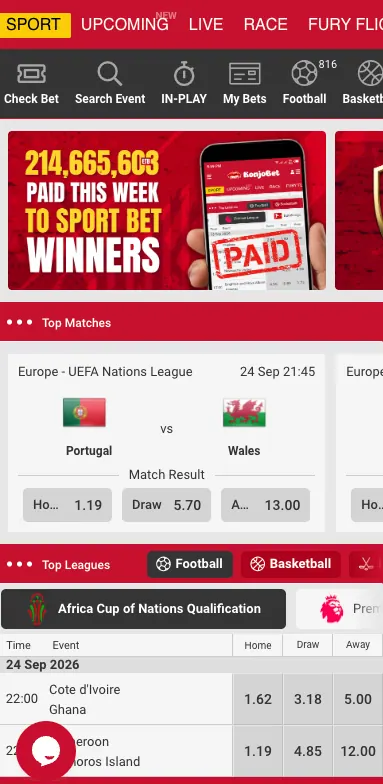
Opening a Konjo Bet account takes a phone number and a password — no email is required at signup, and the whole form fits on one screen. This page covers that process along with logging in afterwards and the account-management questions that tend to come up once someone already has an account.
Who can register
Registration is open to adults of legal age in Ethiopia — 18 and above — and the sign-up form itself asks for confirmation of this before it can be submitted. One account per person is the standard expectation on platforms like this, even though the exact wording of that rule wasn't itemised on the form.
Registration method
| Method | Data required | Confirmation |
|---|---|---|
| Phone number | Ethiopian phone number (+251), a password, and the same password repeated to confirm it | An on-screen success message; no separate SMS code was requested during the signup shown here |
How to register on Konjo Bet
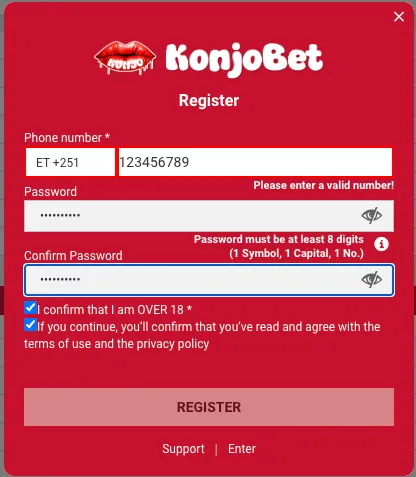
- Open the Register form from the header on the Konjo Bet site.
- Select Ethiopia as the country code (+251) and enter the phone number.
- Enter a password — the form requires at least 8 characters, including one capital letter, one number and one symbol.
- Repeat the same password in the Confirm Password field.
- Tick the box confirming the user is over 18.
- Tick the box confirming agreement with the terms of use and privacy policy.
- Tap Register.

A dialog reading "User Registered — You have registered successfully" confirms the account is ready. From there, logging in with the same phone number and password gives access to the sportsbook, casino and cashier.
Account verification
No document-upload verification step appeared during the registration flow captured for this guide. It's common for platforms like this to ask for identity confirmation later, typically tied to a first or larger withdrawal — see Payments for more on that. Keeping a valid photo ID on hand is a reasonable precaution even before it's requested.
Logging in
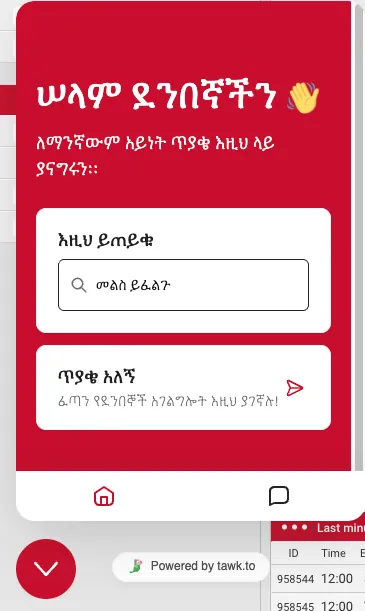
The login fields sit directly in the site header — a phone number field and a password field next to a Login button, with no separate login page needed. A dedicated password-recovery flow wasn't captured for this guide; if the option isn't visible directly on the login form, the live chat support widget is the fastest way to regain access to an account.
Managing the account
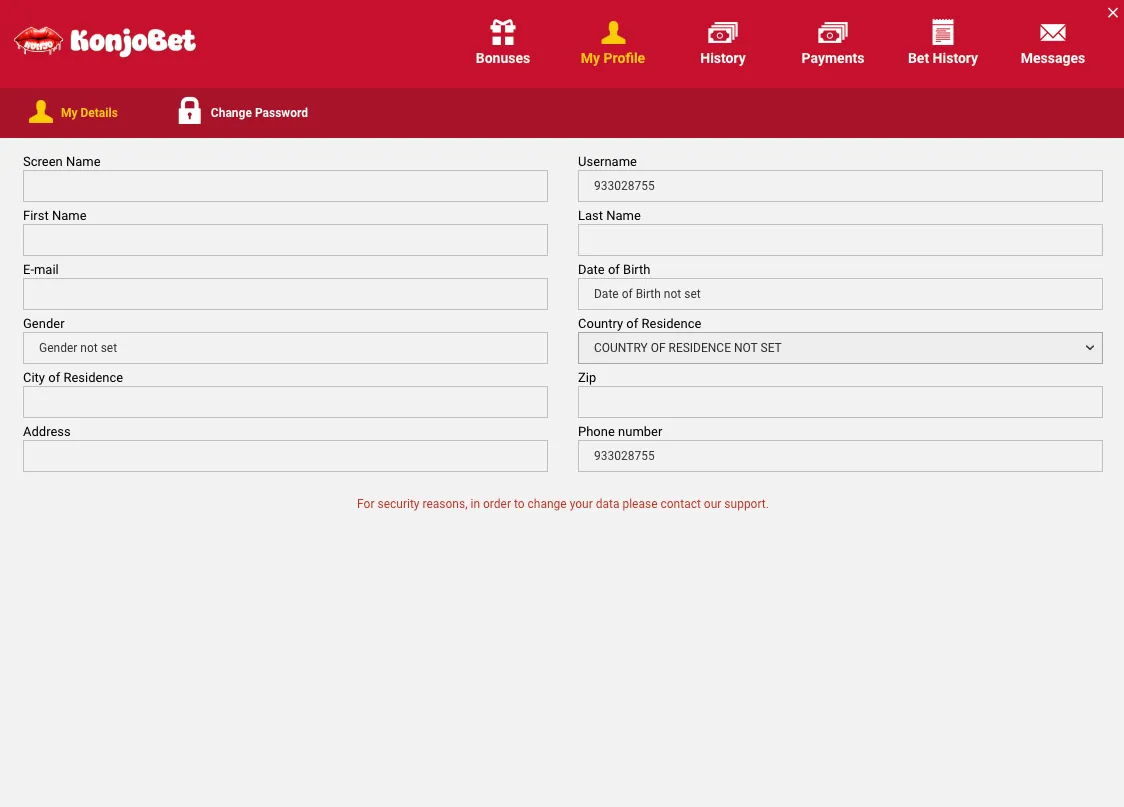
The My Profile section under My Details covers screen name, first and last name, email, date of birth, gender, country and city of residence, address and phone number — all optional extras beyond what's needed to register. A note on that screen states that changes to this data have to go through support rather than being editable directly, presumably as a fraud-prevention measure. The same account area also holds a separate Change Password screen.
Questions like closing an account or setting up self-exclusion weren't covered by a visible self-service tool in the screens used for this guide; support is the right channel for either request. Responsible Gaming covers the general idea of self-exclusion and where else to find support around it.
Keeping the account secure
A strong, unique password is the main defence on an account tied to real money — the platform's own password rule (8+ characters, a capital, a number and a symbol) is a reasonable floor rather than a ceiling. Sharing a password, a one-time code, or a screen-share session with anyone claiming to be Konjo Bet support is never necessary; genuine support won't ask for it. Using the same password across multiple sites is a common but avoidable risk — if one of those other sites is ever breached, an account here becomes an easy secondary target, so a password unique to this account is worth the small inconvenience of remembering one more.
Common login problems
Most login issues trace back to one of a few causes: an incorrectly entered phone number, especially the country code, a password typed with the wrong capitalisation, or a temporary connection issue on the device itself. Trying the phone number and password slowly and separately, rather than relying on autofill, resolves a good share of failed logins before support needs to get involved at all.
Once an account exists, funding it is covered on Payments, and whatever's currently running on Bonuses usually requires a registered account to claim.
Frequently asked questions
How do I register on Konjo Bet?
Open the Register form, enter an Ethiopian phone number and a password meeting the site's complexity rule, confirm the password, tick the age and terms boxes, and submit.
What are the password requirements on Konjo Bet?
At least 8 characters, including one capital letter, one number and one symbol.
Do I need an email to register on Konjo Bet?
No. Registration only asks for a phone number and password; email can be added later from the profile screen.
How do I log in to Konjo Bet?
Enter the registered phone number and password in the login fields in the site header and tap Login — no separate login page is needed.
I forgot my Konjo Bet password, what do I do?
A dedicated recovery flow wasn't captured for this guide; if it isn't shown directly on the login form, contact support through the live chat widget.
How do I change my personal details on Konjo Bet?
Most profile fields require contacting support directly rather than editing them from the account screen, according to a note on the My Details page.
What is the minimum age to register on Konjo Bet?
18. The registration form requires confirming this before it can be submitted.
How do I close my Konjo Bet account?
No self-service closure or self-exclusion tool was visible in the account screens covered here; contact support to request it.